Register with ID → Enrol selfie → Exam check-in selfie → Proctored session → Result issued
If the impostor passes enrolment and check-in with a manipulated face, the credential is issued to someone who did not earn it.
Education and exams / NeuroVerify
Universities, testing bodies and credentialing programmes use selfies and webcam video to confirm that the person registering is the person sitting the exam. Impersonators now use face swaps, generated faces and injected video to sit exams for others. NeuroVerify checks that media for deepfakes beyond liveness, in one API call.
It fits the registration and proctoring steps you already run: send the selfie or video you already capture, with no new step for candidates.
NeuroVerify does not grade, proctor behaviour or decide misconduct, and it does not check certificates or documents. It adds authenticity evidence to the face, video and audio your process collects.
The gap
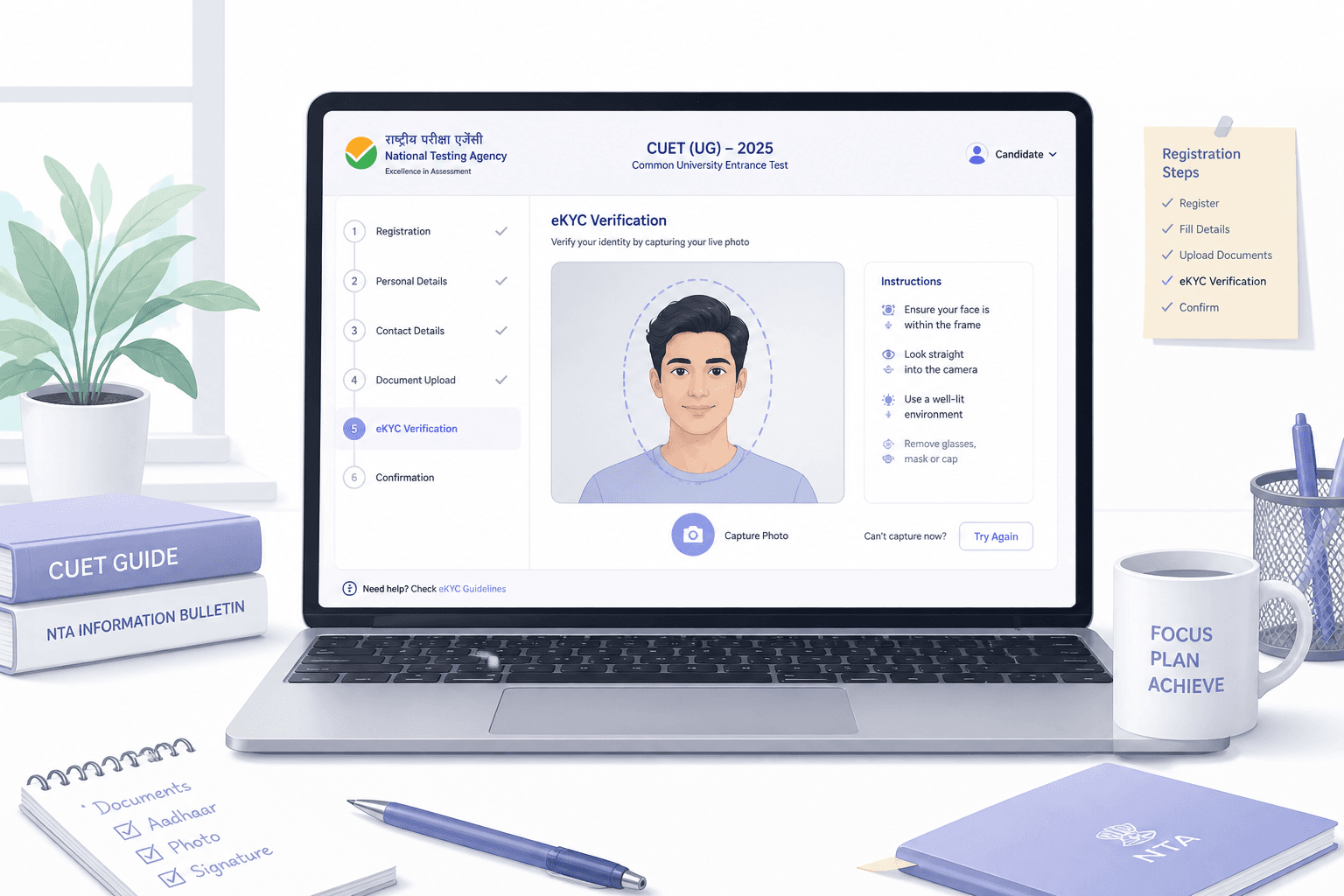
Remote education and testing rely on a few identity moments: registration, check-in before the exam, and monitoring during it. Each often uses a selfie or webcam feed compared with an ID photo or an earlier enrolment image.
Those checks assume the camera shows a real person in front of it. Face swaps, generated faces and injected video break that assumption. A hired impostor can appear as the registered candidate, and a recorded or generated video can stand in for a live feed.
Register with ID → Enrol selfie → Exam check-in selfie → Proctored session → Result issued
If the impostor passes enrolment and check-in with a manipulated face, the credential is issued to someone who did not earn it.
Liveness shows a live person may be present. It does not show whether the face on screen is the candidate's own or a synthetic overlay. See Synthetic Media Response for Education.
Threats
These are attack techniques, not claims about any specific institution. Each targets the face or video evidence your exam or admission process relies on.
An impostor maps the registered candidate's face onto their own during check-in or the exam, appearing as the candidate on camera.
Software replaces the webcam feed with prepared video so the proctoring tool sees a clean, compliant candidate. See Virtual Camera Injection Attacks.
Synthetic faces and fabricated records are used to apply for places, scholarships or credentials that never go to a real person.
A candidate enrols with a manipulated image so a different person can later pass check-in as them.
Cloned or converted voice is used in oral assessments or admission interviews to present as the candidate. See Voice Cloning.
A recording of an earlier genuine check-in is replayed to pass a later one.
Education bodies work under privacy rules for candidate data, such as GDPR in Europe. See GDPR, Biometrics, and Authenticity Analysis.
Authenticity evidence supports your integrity controls. Your policy and review process decide any outcome for a candidate.
Where NeuroVerify fits
NeuroVerify sits after the selfie or video is captured and before your integrity policy acts. It can check enrolment, check-in and sampled frames or clips from a session, using the media your platform already collects.
Register → Enrol selfie → Check-in selfie → Proctored exam → Result
A manipulated face that passes check-in sits the exam.
Register → Enrol selfie → NeuroVerify risk score → Check-in → Risk score → Exam → Result
One call at the points you choose. Candidates see no new step.
Six signals run in one request: Visual Safety Screening, Live Presence Verification, Face Manipulation Detection, AI Generative Model Analysis, AI Pixel-Level Manipulation and AI Content Compliance. You get one unified risk score with signal-level evidence. See NeuroVerify.
Your learning platform, proctoring tool, enrolment records and academic integrity process stay with you. NeuroVerify supplies authenticity evidence. People and policy decide.
Pass the selfie or video you already capture through a mobile SDK, a backend SDK or the REST API.
Receive one risk score with signal-level evidence, typically under 200 ms p95 for eligible image requests.
Allow the candidate, ask for a re-check, or route the session to human review using thresholds you set.
Store the result with the candidate record so reviewers can explain any decision.
What you get
Face swaps and injected video are checked beyond liveness at enrolment, check-in or both.
Fewer credentials issued to impostors protects employers and honest candidates alike.
You send the selfie or video your platform already collects, so test-day experience stays the same.
Signal-level evidence supports a human review and appeal rather than an unexplained flag.
Under 200 ms p95 on eligible image requests under defined test conditions.
Managed cloud, private cloud or customer VPC, secure container, on-premises or air-gapped for candidate data.
Questions
No. It does not monitor behaviour, screens or answers. It checks face images, video and audio for deepfakes and manipulation so you can trust who is on camera.
NeuroVerify accepts images, video and audio. Many teams check enrolment and check-in media and sample frames or clips during a session. Image checks are fastest. Share your session format during evaluation and we will help design the sampling.
Liveness answers whether a live person appears to be present. It was not built to answer whether the face, video or audio was generated or manipulated. A face swap, a virtual camera feed or a synthetic video can still pass a liveness prompt.
NeuroVerify includes Live Presence Verification as one of six signals, then adds face manipulation, generative-model and pixel-level analysis in the same request. You keep your existing liveness step and add authenticity evidence to it. See Deepfake Detection vs Liveness Detection.
Most teams send the media they already capture. There is no new step for the end user. NeuroVerify offers native mobile SDKs (Android/Kotlin, iOS/Swift, Flutter), backend SDKs (Python, TypeScript/Node.js, Go, Java), a REST API and an MCP server for AI agents.
Integration is two lines of code, and teams can be live in under 24 hours. That is a product claim; your timeline depends on your own change process.
NeuroVerify can run as a managed cloud API, in a private cloud or customer VPC, as a secure container, on-premises, or air-gapped. Pick the option that fits your security review and data-residency rules. See Deployment and Product data handling.
Neural Defend holds ISO/IEC 27001, ISO/IEC 27701, ISO/IEC 42001 and SOC 2 Type II certifications, shown on the Trust page.
Yes. We recommend evaluating on your own captures, including real customer media and the attack types you worry about most. Use your own acceptance criteria rather than a vendor demo set.
For context, NeuroVerify ranked first of 36 systems on VendorBench-100, with a detection score (MCC) of 0.876 against 0.646 for the next-best vendor. Read How to Evaluate Deepfake Detection Vendors for a checklist.
You do. NeuroVerify returns one unified risk score with signal-level evidence. Your own policy decides what to approve, send to review or block. No detector is perfect, so set thresholds against your own risk appetite and review volume.
Because the evidence is signal-level, reviewers can see why a case was flagged instead of facing an unexplained score.
Evaluate NeuroVerify
Send us enrolment, check-in or session media and see the unified risk score and signal-level evidence on your own captures.