Download app → Scan document → Take selfie → Face match and liveness → Account opened
Both checks pass on synthetic media, because neither asks whether the face is real.
Digital banking / NeuroVerify
Neobanks, digital banks and bank apps open accounts with a document scan and a selfie. NeuroVerify checks that selfie for deepfakes and face manipulation beyond liveness, and returns one risk score with signal-level evidence before the account goes live.
It runs on the selfie your flow already captures: no new step for the applicant, one API call for your team.
NeuroVerify does not check identity documents or decide who gets an account. Your KYC provider and your own risk policy keep those jobs.
The gap
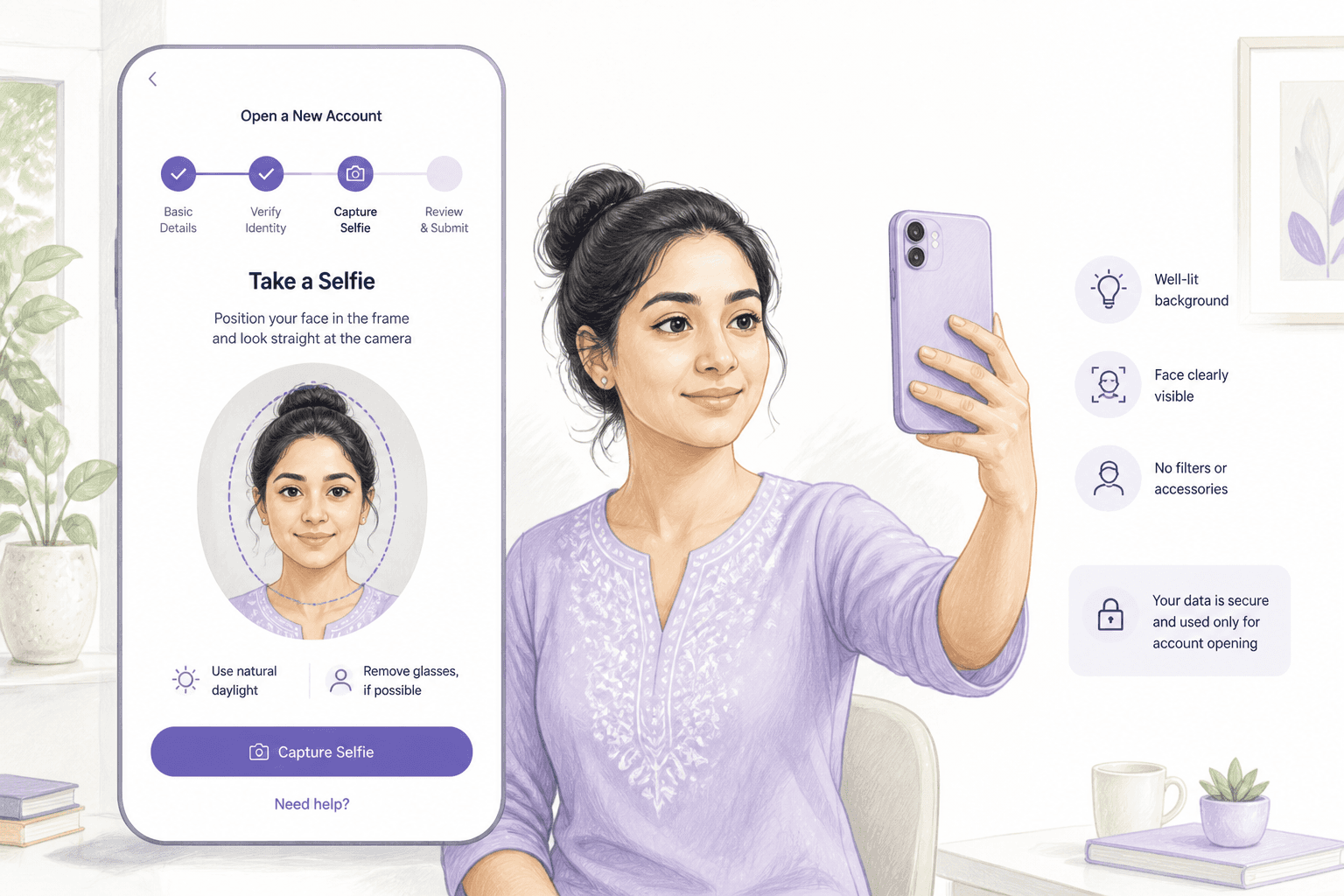
Fully remote account opening has no branch staff and no physical document handling. The selfie carries the whole burden of proving a real person is applying. It is checked for similarity to the document photo, and often for a basic liveness cue.
Generative tools now produce faces that match a chosen photo and respond to prompts such as blink or turn. A virtual camera can feed that output straight into the capture step. The result passes similarity and passive checks, and the account opens.
Download app → Scan document → Take selfie → Face match and liveness → Account opened
Both checks pass on synthetic media, because neither asks whether the face is real.
Newly opened accounts are the raw material for mule networks, synthetic identity schemes and bust-out lending. Fast digital products offer little time for manual review, so the selfie decision is often the last human-free checkpoint. Many markets also apply limits to lightly verified accounts that get upgraded later, so a fake face at the start carries forward into the upgrade.
Threats
These are attack patterns, not claims about any specific institution.
The attacker renders the document owner's face onto their own live movements, so face match to the document succeeds.
Software replaces the phone camera, so the capture step receives a prepared or generated clip instead of a person.
A fabricated person with a generated face and assembled documents opens an account no real customer will ever claim.
One operator produces many applicants from a small set of source photos, each passing checks individually.
A lightly verified account passes a later upgrade because the upgrade selfie is manipulated the same way.
A previously captured clip of a real person is replayed to satisfy a liveness prompt.
Related reading: presentation attacks against face verification and replay attacks in identity proofing.
Where NeuroVerify fits
NeuroVerify sits between selfie capture and your face-match or decision step. The applicant takes the same selfie they would take today. Your app or backend sends it to NeuroVerify and reads the result.
Scan document → Take selfie → NeuroVerify risk score → Face match → Your decision
One added call. Document checks, face match and approval logic stay as they are.
Six signals run in a single request: Visual Safety Screening, Live Presence Verification, Face Manipulation Detection, AI Generative Model Analysis, AI Pixel-Level Manipulation and AI Content Compliance. The answer is one unified risk score with signal-level evidence. NeuroVerify analyses faces in images, video and audio, not documents.
Mobile SDKs for Android/Kotlin, iOS/Swift and Flutter let you integrate in the app itself. Backend SDKs and a REST API suit server-side flows. See NeuroVerify and digital onboarding.
Pass the image or short video your app already captures to NeuroVerify through the mobile SDK, backend SDK or REST API.
Receive one score and signal-level evidence in under 200 ms p95 on eligible image requests.
Open, step up to manual review or an additional check, or decline.
Store the result with the application for later fraud and audit work.
What you get
The signal lands before a mule or synthetic account can transact.
Sub-200 ms p95 on eligible images and no new user step protect conversion.
Live presence is one of six signals, so you see manipulation as well as presence.
Signal-level evidence lets analysts clear or escalate quickly.
Mobile and server SDKs plus REST fit most digital stacks.
Questions
Right after selfie capture and before the face-match or approval step. If your flow also includes a selfie at later upgrade or re-verification, call it there too.
Yes. Native SDKs are available for Android/Kotlin, iOS/Swift and Flutter. You can also capture in the app and call NeuroVerify from your backend.
Not for this purpose. Live Presence Verification is one of the six signals NeuroVerify runs in a single request, alongside Face Manipulation Detection, AI Generative Model Analysis, AI Pixel-Level Manipulation, Visual Safety Screening and AI Content Compliance. It checks selfie images and video from your account-opening flow for deepfakes and manipulation beyond liveness.
If you already run a liveness vendor, keep it during evaluation and compare outcomes on your own media before deciding what to retire. The difference is explained in Deepfake Detection vs Liveness Detection.
It fits the capture step you already run, so the end user sees nothing new. You send the media you already collect to one API call. Native mobile SDKs (Android/Kotlin, iOS/Swift, Flutter), backend SDKs (Python, TypeScript/Node.js, Go, Java) and a REST API are available, and an MCP server covers AI agents.
Two lines to integrate and live in under 24 hours are product claims. Your own timeline depends on how your digital onboarding stack is wired.
NeuroVerify returns in under 200 ms at p95 on eligible image requests under defined test conditions. The methodology is available on request. Video and audio take longer than a single image, so decide with your team which step runs inline and which runs in the background.
You choose the deployment model: managed cloud API, private cloud or customer VPC, secure container, on-premises, or air-gapped. Neural Defend holds ISO/IEC 27001, ISO/IEC 27701, ISO/IEC 42001 and SOC 2 Type II certifications. Your legal team decides consent, retention and residency for the media you send.
Details are on the deployment and product data handling pages. For the privacy angle, see GDPR, Biometrics, and Authenticity Analysis.
Yes, and that is the test that matters. On the public VendorBench-100 benchmark, NeuroVerify ranked first of 36 systems with a detection score (MCC) of 0.876 against 0.646 for the next-best vendor. A benchmark does not reflect your devices, lighting, compression or attack mix, so bring representative samples from your own journey.
Contact us to set up an evaluation.
NeuroVerify returns one unified risk score with signal-level evidence. It does not approve or reject anyone. Your policy sets the thresholds and decides what happens at each level: continue, step up to a manual review, or decline.
The signal-level evidence tells a reviewer why a case scored high, which makes review queues faster and decisions easier to explain later.
Evaluate NeuroVerify
Run NeuroVerify on selfies from your own account-opening journey and compare the evidence with your current liveness result. Contact us to set up a test.