Neural Defend

Healthcare / NeuroVerify

Deepfake Detection API for Healthcare

For hospitals, telehealth platforms and public health programmes that register patients remotely. NeuroVerify checks the selfie or video you already capture for deepfakes and manipulation, so a synthetic face does not open a patient record or unlock a benefit.

It fits the selfie or video step your registration already runs: one API call, no new step for the patient, one unified risk score back.

NeuroVerify does not verify identity documents, link records or approve enrolment. It adds authenticity evidence; your identity proofing and clinical or benefit policy keep the final decision.

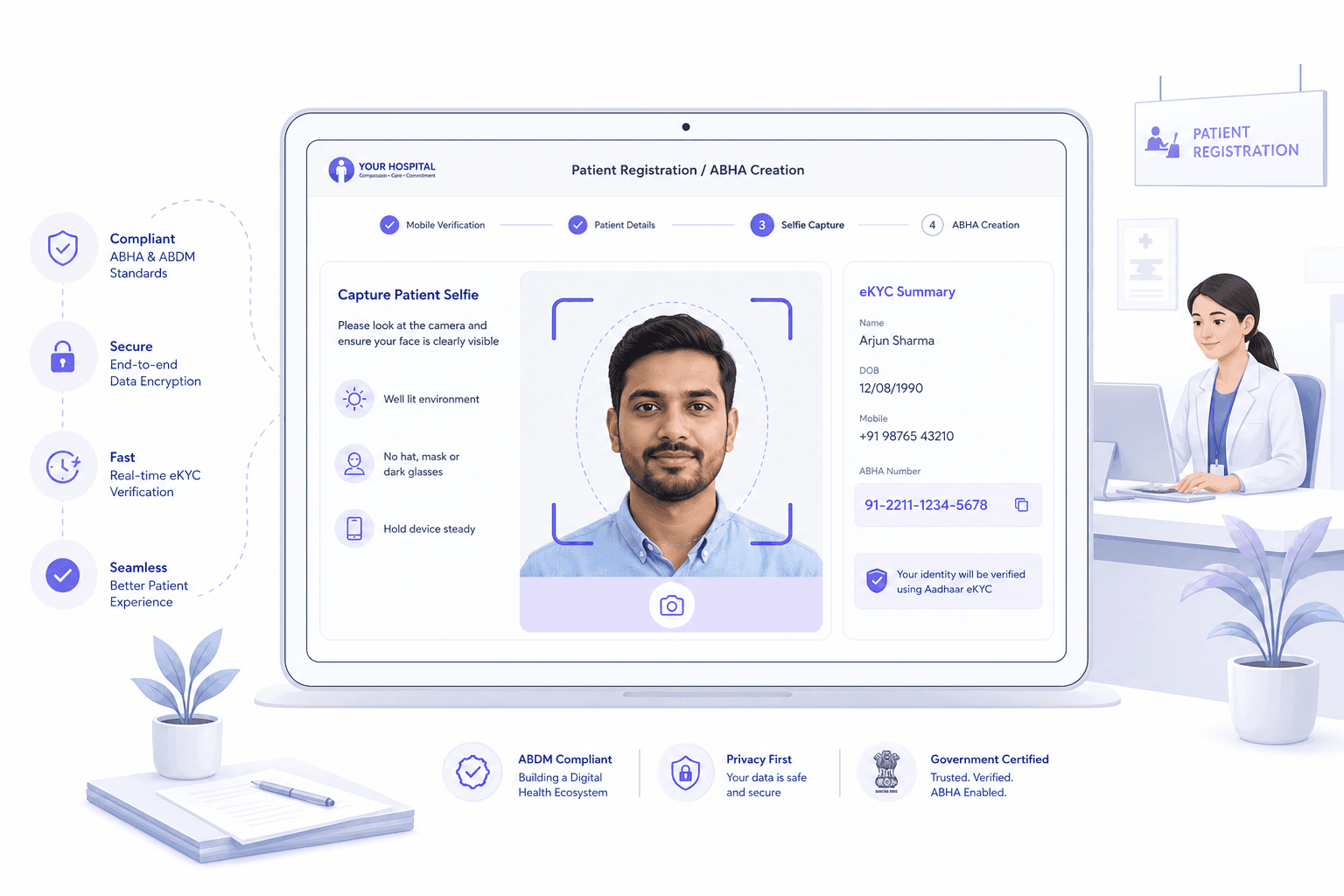
Light editorial illustration of a patient registration screen with a selfie capture step on a light background.
AI-generated conceptual editorial illustration on a light background; not product UI or forensic evidence.
Powered byNeuroVerifyExplore the product
  • #1 of 36on the public VendorBench-100
  • <200 msp95 on eligible image requests
  • 6 → 1six checks, one unified score
  • 0new steps for your customer

The gap

A patient record can be opened by a face that was never there.

Healthcare is moving registration online. Patients create a health ID, sign up for a telehealth service, enrol in an insurance or public benefit scheme, or check in for a remote consultation. Most of these flows end in a selfie or a short video to show that a real patient is present.

The records at stake are valuable. A patient record holds clinical history, prescriptions and insurance links. A benefit entitlement is worth real money. Both are reached through a face check that was designed for physical spoofs such as a printed photo or a screen replay.

Where current checks stop

Document and registry checks confirm that a record exists. Face match confirms that two images look alike. Basic liveness confirms that a capture followed a prompt such as blink or turn. None of them asks whether the media was generated, swapped or injected into the camera feed. A face swap or a virtual-camera stream can pass all three.

Remote patient registration today

Patient enters details → Identity data is checked against a record → Selfie or video is captured → Liveness prompt passes → Face match passes → Record or entitlement is created

The authenticity of the selfie itself is never examined. This is the step NeuroVerify adds evidence to.

Related reading: synthetic media controls for clinical authorization and identity and media checks for telehealth visits.

Threats

How attackers reach patient records and benefits

These are attack techniques, not claims about any specific provider or programme.

01

Impersonating a patient to claim benefits

An ineligible person registers with another person's details and presents a swapped or generated face at the selfie step. The underlying record is real; the person is not.

02

Opening a health ID under a borrowed identity

An attacker completes self-service registration for someone who is absent, then uses the new identity across providers, labs and pharmacies.

03

Synthetic selfie at telehealth sign-up

A registrant uploads an AI-generated portrait that matches a stolen name, then books consultations and collects prescriptions under it.

04

Live face swap during a video visit

A real-time swap runs over the camera feed during onboarding or re-verification, so the face on screen is not the patient whose record is open.

05

Bulk enrolment through assisted desks

At camps, kiosks and registration desks, a helper submits many registrations and substitutes faces. Volume hides the pattern from manual review.

06

Replay of a stored patient video

A previously recorded clip is injected into the capture step to defeat liveness prompts on a returning patient's account.

Healthcare identity programmes differ by country, from national health IDs to insurer portals. The pattern is the same everywhere: the check confirms a record, and the media is trusted by default.

Privacy matters here. Patient data is sensitive, so see GDPR, biometrics and authenticity analysis and NeuroVerify data handling before you design the flow.

Where NeuroVerify fits

Where NeuroVerify sits in patient registration

NeuroVerify sits between media capture and your registration policy. Your app sends the selfie, video or audio it already collects. NeuroVerify runs six signals in one request and returns a unified risk score with signal-level evidence.

Your policy then decides: register the patient, ask for a second factor, send to staff review, or decline. Every existing identity and consent control stays in place.

NeuroVerify Unified Trust LayerSix parallel analysis layers
  • Visual Safety Screening
  • Live Presence Verification
  • Face Manipulation Detection
  • AI Generative Model Analysis
  • AI Pixel-Level Manipulation
  • AI Content Compliance
01

Send the registration selfie

Pass the face image or video from your patient app, kiosk or telehealth sign-up to NeuroVerify with one API call.

02

Read the unified risk score

Get one score and the evidence from each of the six signals.

03

Apply your registration policy

Approve, step up with another factor, route to staff review or decline using thresholds you set.

04

Keep the evidence with the record

Store the score and signal evidence with the registration event so a later review can see why it was approved.

What you get

What healthcare teams gain

Protect records from the first step

Catch synthetic or swapped faces before a patient record, health ID or entitlement exists.

No extra friction for patients

Patients take the same selfie or video. The check runs behind it.

Evidence for staff review

Signal-level detail tells a reviewer why a case was flagged instead of showing a bare pass or fail.

Fits your data rules

Choose cloud, private cloud, on-premises or air-gapped deployment to match patient-data requirements.

Fast to adopt

Mobile and backend SDKs and REST mean a pilot can be live in under 24 hours.

Questions

What teams ask before they integrate.

Does this add a step for patients or front-desk staff?

No. NeuroVerify fits the selfie or video step your journey already runs. You send the media you already capture in one API call. There is no new step for the end user.

Integration uses native mobile SDKs (Android/Kotlin, iOS/Swift, Flutter), backend SDKs (Python, TypeScript/Node.js, Go, Java) or REST. Two lines of code is the product claim; live in under 24 hours is the target.

We already use liveness. Is that not enough?

Not as a replacement. Liveness asks whether a live person was in front of the camera. NeuroVerify asks whether the media itself is authentic, and it includes a Live Presence Verification signal alongside five others, so it checks beyond liveness. See deepfake detection vs liveness detection.

You can keep your current liveness vendor and send the same selfie or video to NeuroVerify as well.

Does NeuroVerify handle documents or medical records?

No. NeuroVerify checks face images, video and audio. It does not analyse identity documents or clinical records, and it does not link or create patient records.

It protects the selfie or video step of registration. Your existing document and registry checks continue unchanged.

How is patient media handled?

Patient media is sensitive, so deployment choice matters. NeuroVerify can run in your own VPC, in a secure container, on-premises or air-gapped, so media can stay inside your boundary. See media data handling and our data handling page.

Neural Defend holds ISO/IEC 27001, ISO/IEC 27701, ISO/IEC 42001 and SOC 2 Type II.

Will it slow down registration or a telehealth check-in?

NeuroVerify returns in under 200 ms p95 on eligible image requests under defined test conditions. The test methodology is available on request, so you can compare it with your own traffic and network path.

Image checks run inside the capture step, so the end user does not see a separate wait. Video and audio take longer because they carry more media; ask us for numbers that match your clip lengths.

Which deployment models are available?

NeuroVerify runs as a managed cloud API, in a private cloud or your own VPC, as a secure container, on-premises, or air-gapped. The right option depends on your data-residency and security rules.

The same six signals and the same unified risk score are available in each model. Neural Defend holds ISO/IEC 27001, ISO/IEC 27701, ISO/IEC 42001 and SOC 2 Type II; see the Trust Center for details.

Who decides what happens when the score is high?

NeuroVerify returns one unified risk score plus signal-level evidence, so a reviewer can see which of the six signals raised concern. It does not make the final decision. Your own policy decides whether to approve, step up, route to manual review or decline.

Because thresholds are yours, you can tune them to your own tolerance for false positives and false negatives. See deepfake detection errors.

Can we test it on our own registration media?

Yes. We recommend evaluating on your own media: your real capture conditions, devices and attack samples. Start with a small test set, compare the unified score and signal evidence against your current checks, then set thresholds with your own policy team.

NeuroVerify ranked #1 of 36 systems on VendorBench-100 (detection score MCC 0.876 versus 0.646 for the next-best vendor), but a public benchmark is a starting point. Your own media is the real test. Contact us to set one up.

Evaluate NeuroVerify

Test NeuroVerify on your patient registration media

Send us representative selfies and video from your registration or telehealth flow. We will show the unified score and signal evidence so your team can judge fit.